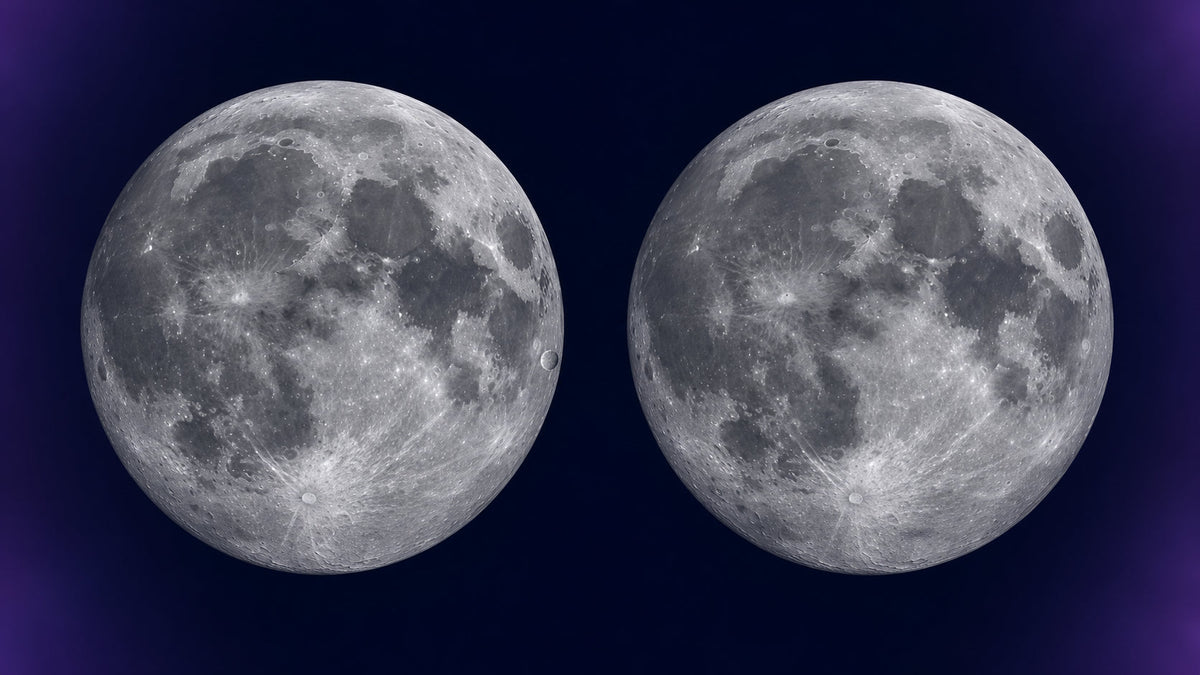
If the Moon keeps pretty much the same face pointed toward Earth, why does it appear to rock back and forth in a month-long animation? The familiar dark plains don’t just get brighter and dimmer. They appear to shift a little on the disk. That shift is called lunar libration, and it gives observers on Earth a better view of different parts of the Moon’s rim at different times.
First, separate the face from the lighting
The Moon completes one turn on its axis in about the same time it takes to orbit Earth. That synchronous rotation is why the same broad hemisphere faces us. Our guide to the Moon’s rotation explains this with a tabletop model. Libration is the next piece of the puzzle: synchronous rotation keeps the average orientation steady, but our exact viewing angle changes.
A lunar phase describes how much of the part facing us is illuminated by the Sun. Libration describes which terrain is in view and where it appears on the disk. A bright edge changing shape is not by itself evidence of libration. The useful clue is a recognizable surface feature shifting toward or away from the outside edge of the disk.
Why the Moon appears to turn a little from side to side
Imagine a dancer who turns at a steady rate while walking around you. If the dancer also walks at a steady rate on a perfect circle, the two motions can stay matched so you always see the front. Now keep the rate of turning the same but speed up the walk in one part of the path and slow it down elsewhere. For a while you see a little more of one shoulder, then a little more of the other.
That is the idea behind libration in longitude. NASA’s libration in longitude visualization shows how the Moon spins at a nearly steady rate, but travels faster near Earth and slower farther away on its elliptical orbit. As the Moon gets ahead of or falls behind that steady spin, our view shifts slightly to one side or the other. The Moon isn’t repeatedly reversing its spin.
And why it appears to nod
There’s a second motion in the animation. Sometimes our line of sight gives a better view of the Moon’s north, and sometimes its south. The Moon’s spin axis and its orbital geometry are not aligned so that Earth always sits directly over the Moon’s equator. As the Moon goes around, the viewing angle moves above and below that equator. NASA’s Moon Essentials collection shows this separately as libration in latitude.
Try a two-frame comparison
- Open NASA’s longitude visualization and find its two-frame comparison.
- Ignore the dark background and trace the circular outside edge of one Moon with your eyes. Pick a conspicuous dark area near the left or right rim, not a spot near the middle.
- Switch frames. Look at how far that same area is from the rim, then repeat on the opposite side. You’re comparing the position of markings against the disk, not comparing variations in screen brightness.
- Try the latitude demonstration next, looking near the top or bottom rather than along either side. Keep NASA’s frame orientation fixed instead of rotating one image to match the other.
The cover illustration is conceptual; NASA’s frames are the reference for comparing the actual geometry. In your own photos, differences in phase, image orientation or the time and location of the observation can make the comparison harder. When comparing two photographs, use similar phases, orient the disks consistently, and use recognizable features for your reference points. If you can’t match the markings, don’t infer a wobble from the outline alone.
A decorative projector or moon lamp can set the scene, but it isn’t a dated map of the real Moon. Use the animation for the comparison and the room effect as a backdrop. Once you know what to look for, the distinction is simple: phase changes which features are lit; libration changes how you’re looking at them.